


Olin > Blog > WiFi interference: how to detect it, fix it and avoid it
WiFi interference: how to detect it, fix it and avoid it
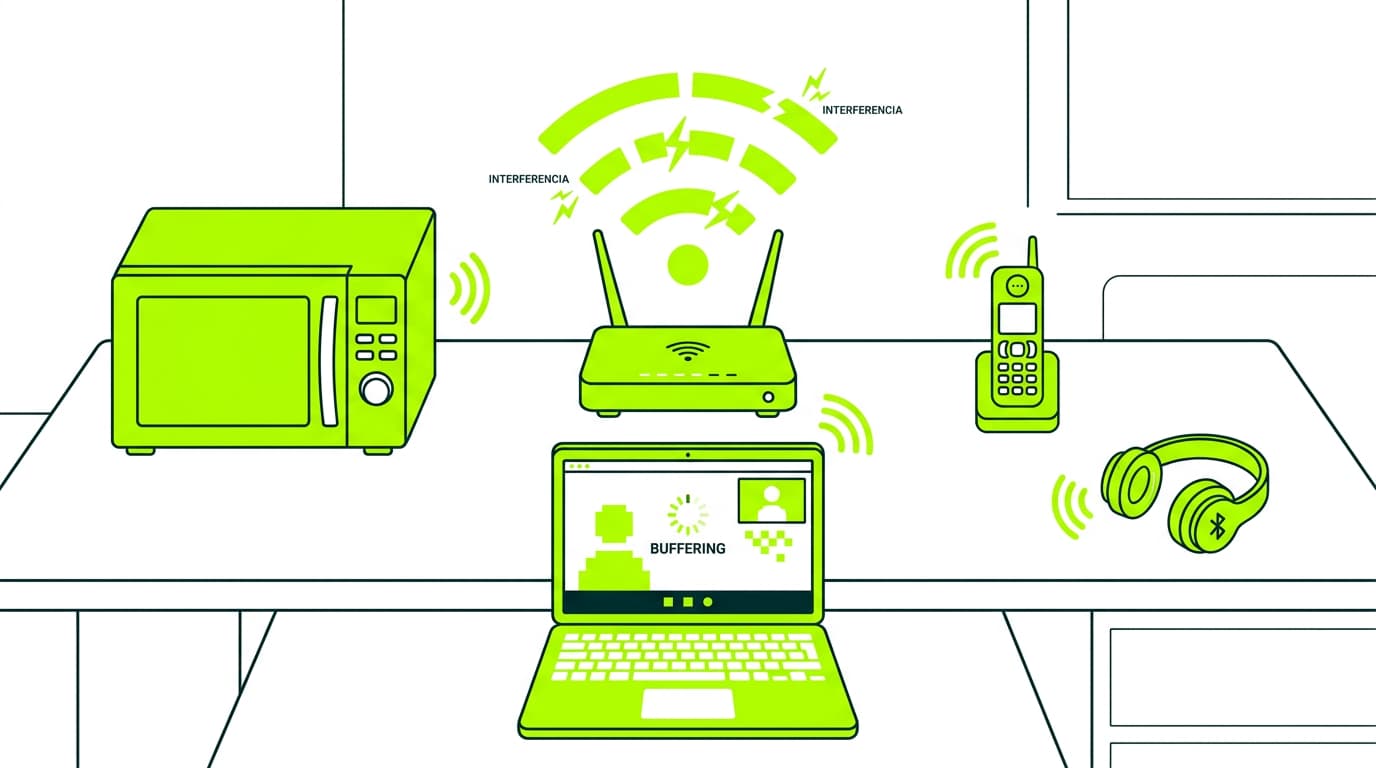
Experiencing WiFi interference? Discover the main causes, how to detect it and what you can do to improve your connection at home
WiFi interference has become one of the most frustrating problems in our everyday digital lives. If you have noticed that your connection is slow, keeps dropping out or simply does not work as it should, you may be experiencing this issue. In this complete guide, we look at the causes, solutions and prevention methods so you can enjoy a fast, stable connection.
Physical obstacles that can cause connection interference
The physical layout of our homes plays a key role in the quality of our WiFi signal. Thick concrete walls act as real barriers for electromagnetic waves, significantly reducing signal strength. This effect becomes even stronger with metal structures: window frames, lifts and other metal elements can create shadow areas where the signal barely reaches.
Mirrors and large reflective surfaces are particularly problematic, as they do not just block the signal. They can also reflect it in unwanted directions, creating additional interference.
Even ceilings with metal insulation, increasingly common in modern buildings due to their energy efficiency, can become real Faraday cages that trap and weaken the WiFi signal.
As we explain in our detailed article on how to boost your WiFi signal, placing your router in the right spot can make the difference between a frustrating connection and smooth browsing.
Devices that generate WiFi interference
Modern homes are full of devices that emit electromagnetic waves, and many of them operate on frequencies similar to your WiFi network.
A microwave oven, for example, can generate strong but localised interference while in use. DECT cordless phones are especially problematic because they can interfere constantly with your WiFi signal, particularly if they operate on the 2.4 GHz band.
Wireless surveillance systems and baby monitors also deserve a special mention. These devices transmit video and audio continuously, which can saturate the electromagnetic spectrum in your home.
Bluetooth speakers, although less powerful in terms of interference, can significantly affect your network performance if they are placed close to the router.
Want to know more?
Signs of WiFi interference: how to detect it
Detecting WiFi interference means paying attention to specific patterns in how your connection behaves.
A clear sign of interference is a change in connection speed throughout the day. If your internet works perfectly in the morning but gets much worse in the afternoon or evening, you may be experiencing interference from neighbouring networks that are more active at those times.
Frequent disconnections, especially during video calls or video streaming, are another clear warning sign. High latency in real-time applications, such as online gaming or video meetings, can also be a symptom of WiFi network interference that needs immediate attention.
How to fix WiFi interference
Solving WiFi interference starts with a proper analysis of your network environment. Specialist apps can help you visualise the electromagnetic spectrum in your home and identify the most congested frequencies.
Once the problem has been identified, changing the channel on your router can be an effective solution, especially if you live in a densely populated area.
Updating your router’s firmware is also essential, as manufacturers constantly improve their interference management algorithms.
Moving to the 5 GHz band, where possible, can provide a much more stable experience, although with a shorter range.
How to avoid interference in your wireless network
Prevention is essential when it comes to how to avoid WiFi interference. The first step is placing your router correctly: it should be elevated, central to the area you want to cover and away from metal obstacles. WiFi 6 technology represents a significant step forward in interference management, offering better performance in congested environments.
Setting up your network security properly does not only protect you from intruders. It can also help reduce interference by limiting the number of connected devices. Regular maintenance, including physically cleaning the router and optimising your WiFi settings, is essential to maintain strong performance.
Other tips to improve your WiFi connection
The future of home connectivity is moving towards more advanced solutions. Mesh WiFi systems are a significant improvement on traditional repeaters, creating a unified network that automatically manages interference.
Using Quality of Service (QoS) allows you to prioritise critical traffic, helping important applications work properly even when interference is present.
If you are still experiencing major issues after applying these solutions, consider upgrading your service to a more powerful broadband connection. High-speed broadband not only offers faster speeds, but also avoids many of the electromagnetic interference issues that affect WiFi connections.




Very Satisfied
The service is excellent, and we always pay the same amount. We’ve been customers for three years. The staff at the store are very professional and serve us in three different languages!